
Institutional-style quant tools, built into your platform
Six analytical modules that set your brokerage apart. When clients see an opportunity, they can open positions in one click.
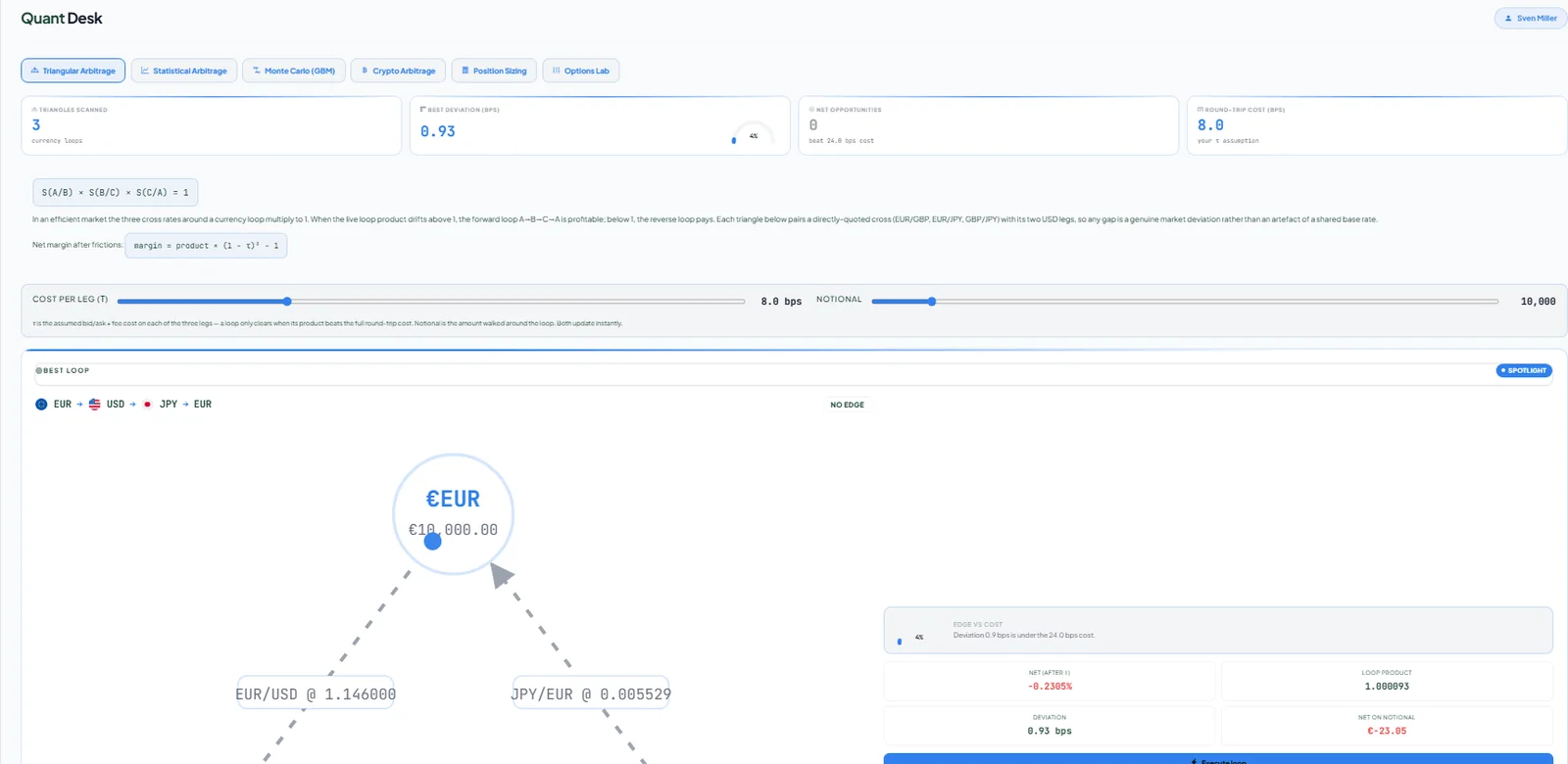
Six modules, one desk
Each module has its own calculation engine.
Triangular arbitrage
Scans currency triangles for pricing gaps in real time.
Pairs & statistical arbitrage
Pairs trading with OLS hedge ratios to spot diverging correlated assets.
Monte Carlo fair value
Geometric Brownian motion simulations draw a fair-value cone for any asset.
Crypto cross-exchange arbitrage
Compares crypto prices across exchanges to highlight spreads.
Options lab
Black-Scholes pricing with the full set of Greeks.
Position sizing
Risk-based position sizing so clients size trades sensibly.
One click from analysis to a live position
Quant Desk is connected to the trading engine. When a module finds an opportunity, clients open the positions directly, with no copying numbers between screens.
- One-click execution into real positions
- Asset icons and quotes consistent with the terminal
- Retention value: a reason for clients to log in every day
Options lab · BTC 30d
Watch the modules at work
Pairs trading, Monte Carlo projections and crypto arbitrage scanning, recorded straight from the platform.
Quant Desk questions
Who is Quant Desk for?
Active and experienced clients who want analytical tools beyond charts. It gives your brokerage a professional edge over competitors.
Can clients trade directly from Quant Desk?
Yes. One-click execution opens positions directly in the client's account.
Is Quant Desk included in the white label?
Yes. Quant Desk is part of the HoneyBadger client platform. Ask us about it during your demo.
Part of one connected platform
See Quant Desk live
We will walk you through the CRM, WebTrader and client portal live, discuss pricing for your setup, and plan your launch.